Tracking Latency
Latency is the killer of fast typing. If visual feedback lags actuation by more than 50ms, error rates spike as users second-guess their input sequence.
The Pipeline Bottleneck
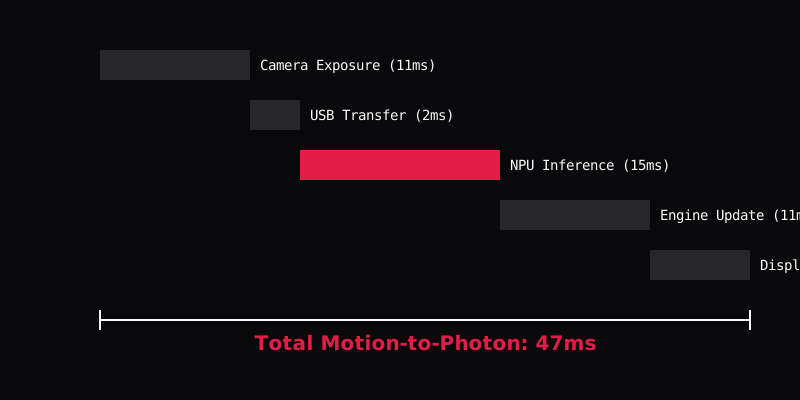
Every step from the photon hitting the camera sensor to the updated pixel hitting the user's retina adds latency. Traditional mechanical keyboards bypass this entirely via tactile switch feedback.
Common Mistakes
- Ignoring display scanout: Developers often measure latency at the game-engine level, forgetting that OLED display scanning adds 8-11ms before the user actually sees it.
- Over-smoothing: Applying heavy Kalman filters to reduce jitter inherently adds predictive latency, making the keyboard feel sluggish.
Latency Sources
| Source | Delay (Typical) |
|---|---|
| Camera Exposure | ~11ms |
| USB Transfer | ~2ms |
| ML Inference | ~15ms |
| Game Engine Update | ~11ms |
| Display Scanout | ~8ms |
| Total M2P | ~47ms |
Interactive Tool: Tap Latency Simulator
100ms
Notice how anything above 50ms feels disconnected from the physical action.
FAQ
What is the threshold for acceptable latency?
For discrete key targeting, user studies show accuracy drops significantly when latency exceeds 60ms. Below 30ms, the delay is largely imperceptible.
Comprehensive Technical Directory
Explore all topics related to spatial text entry: